Ludo Star Classic Board Game
Reviews
Ludo Star Classic captures the essence of the traditional board game with colorful visuals and intuitive controls. The online multiplayer feature works seamlessly, allowing you to challenge friends or meet new opponents. Safe squares add strategic depth, and the simple rules make it enjoyable for all ages. It is a perfect choice for family game nights or quick breaks.
Description
Game Introduction
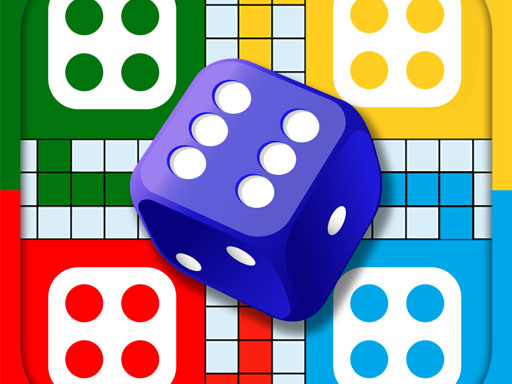
Ludo Star Classic Board Game brings the timeless board game experience to your screen with bright colors and smooth controls. Players choose a color and take turns rolling a dice to move their four tokens around the board. The goal is to get all tokens to the home column before opponents do. Safe squares protect tokens from being sent back. The game supports two to four players, either locally or online. It is easy to learn but offers enough strategy to keep matches exciting. Perfect for family game nights or quick breaks, Ludo Star Classic creates moments of joy and connection.
How to Play
To play, each player picks a color and rolls the dice. Move one token per roll by the number shown on the dice. Landing on an opponent's token sends it back to the start. Use safe squares marked on the board for protection. The first player to move all four tokens into the home column wins. Strategy involves balancing risk and caution. You can play with friends or family locally or connect online for remote matches. The rules are simple, making it accessible for all ages.
Game Features
Features include family-friendly gameplay, multiplayer support for up to four players, strategic decision-making, and easy-to-learn rules. The game offers vibrant graphics and smooth performance on various devices. Online play allows you to challenge friends or meet new opponents. Safe squares and token sending add excitement. The interface is intuitive, so players can jump in quickly. Regular updates keep the experience fresh.
Tips for Success
You will enjoy Ludo Star Classic because it combines classic board game fun with modern convenience. It is a great way to spend time with family and friends, whether near or far. The game promotes friendly competition and laughter without any complicated setup.
Compatibility
Faq
Can I play Ludo Star Classic on my mobile phone?
Yes, Ludo Star Classic is designed to run smoothly on various devices including smartphones and tablets. The controls are touch-friendly, and the graphics are optimized for smaller screens. You can download it from official app stores or play directly in a browser, depending on the version.
Is there a way to chat with opponents during online matches?
Some versions of Ludo Star Classic may include an in-game chat feature, but it depends on the platform. If available, it allows you to send short messages or emojis to other players. This can make online matches more social and fun, especially when playing with friends.
How long does a typical game of Ludo Star Classic last?
A typical game of Ludo Star Classic can last between 15 to 30 minutes, depending on the number of players and their strategies. Games with four players tend to take longer due to more tokens on the board. The pace can vary based on dice rolls and player decisions.
Does Ludo Star Classic have a single-player mode against computer opponents?
Ludo Star Classic may include a single-player mode where you can play against computer-controlled opponents. This is useful for practicing strategies or when no other players are available. The computer opponents typically have adjustable difficulty levels to match your skill.
Are there any in-app purchases in Ludo Star Classic?
Some versions of Ludo Star Classic may offer optional in-app purchases for cosmetic items like token skins or board themes. These purchases are not required to play the game fully. All core gameplay features are usually available without spending money.
Can I play Ludo Star Classic offline with friends?
Yes, Ludo Star Classic supports local multiplayer mode, allowing you to play with friends or family on the same device. This is ideal for gatherings or when an internet connection is not available. Each player takes turns on the same screen, making it a great party game.
More Games
Wobbly Arena Sports Game
Tic Tac Toe Challenge - Puzzle Game
Domino Online Board Game
Stick Arena Showdown Online
Head Soccer 2 Player Football
Mountain Trail Driving Adventure
Four Square II Logic Puzzle
Pig and Sheep Barn Adventure
Two-Tone Team Arcade Adventure
Sky Pong Arcade Classic
Ludo Star Classic Board Game
Two Player Arcade Challenge
Elemental Sibling Puzzle Adventure
Obby Garden Arcade Run
Tunnel Dash 3D Arcade